Cloud IVR

Cloud IVR: Scale customer interactions with automatic call routing

Easily add self-service and other call routing options with Quo. Choose between keypad and voice navigation, multiple phone menus, and backup routing options. Plus, you’ll have access to free calls and texts to US and Canadian numbers, SMS and MMS messaging, team collaboration features, and more.

Plans start at $23 per user per month.

Try for free
Trusted by over 90,000 businesses
"Highest Satisfaction" business phone system (VoIP), rated by 3,200+ reviews G2

What is a cloud IVR? 

Cloud IVR, or interactive voice response, systems are virtual phone menus. They help incoming callers navigate to different departments in your business. 

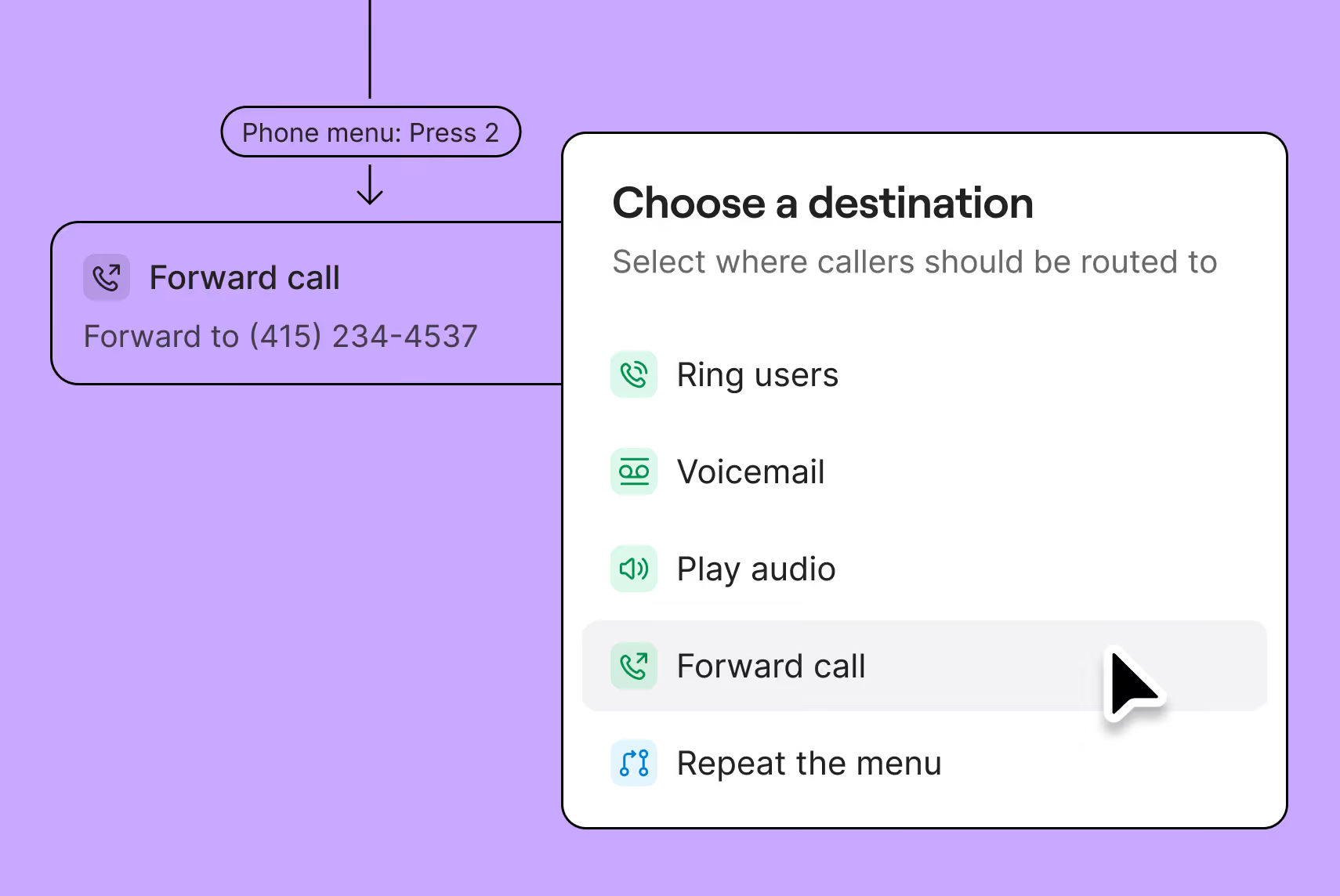
Business phone systems connect callers with different teams based on keypad options or voice commands. For example, ‘Press one for sales’ or ‘Press two for customer support.' Cloud IVR systems don’t need the physical infrastructure of on-premises PBX hardware to route incoming calls.  

Cloud-based IVR systems help businesses manage their incoming call volumes. Callers can navigate to their preferred department, which gets them in front of team members faster. Cloud IVR also cuts down on spam calls because bots can’t select menu options. 

Why you should get a cloud IVR service

Understand the benefits of cloud IVR for your business.

Increased customer satisfaction

With IVR software, customers can navigate through your departments to find the right member of your team. They get faster responses to their questions and can resolve their issues more easily. Deliver a better customer experience with fewer call transfers and reduced wait times.

Reduced spam calls

Cloud IVR menus are your first line of defense against spam calls. Robocallers can’t select keypad options or issue voice commands. When you reduce spam calls, you free up your team to have more conversations with actual customers.

Reduced operational costs 

Cloud IVR systems are more affordable than traditional telephony solutions. You don’t need to install and configure custom desk phones or special equipment. Since they’re hosted by a third-party service, they’re also known as hosted IVRs. And they’re more scalable, which means your costs don’t increase significantly when you add more team members to your phone system.

Get inspired to create your own IVR scripts with our list of examples.

How to set up a cloud IVR in Quo

Setting up a cloud IVR in Quo takes less than five minutes. Here’s how you can do it:

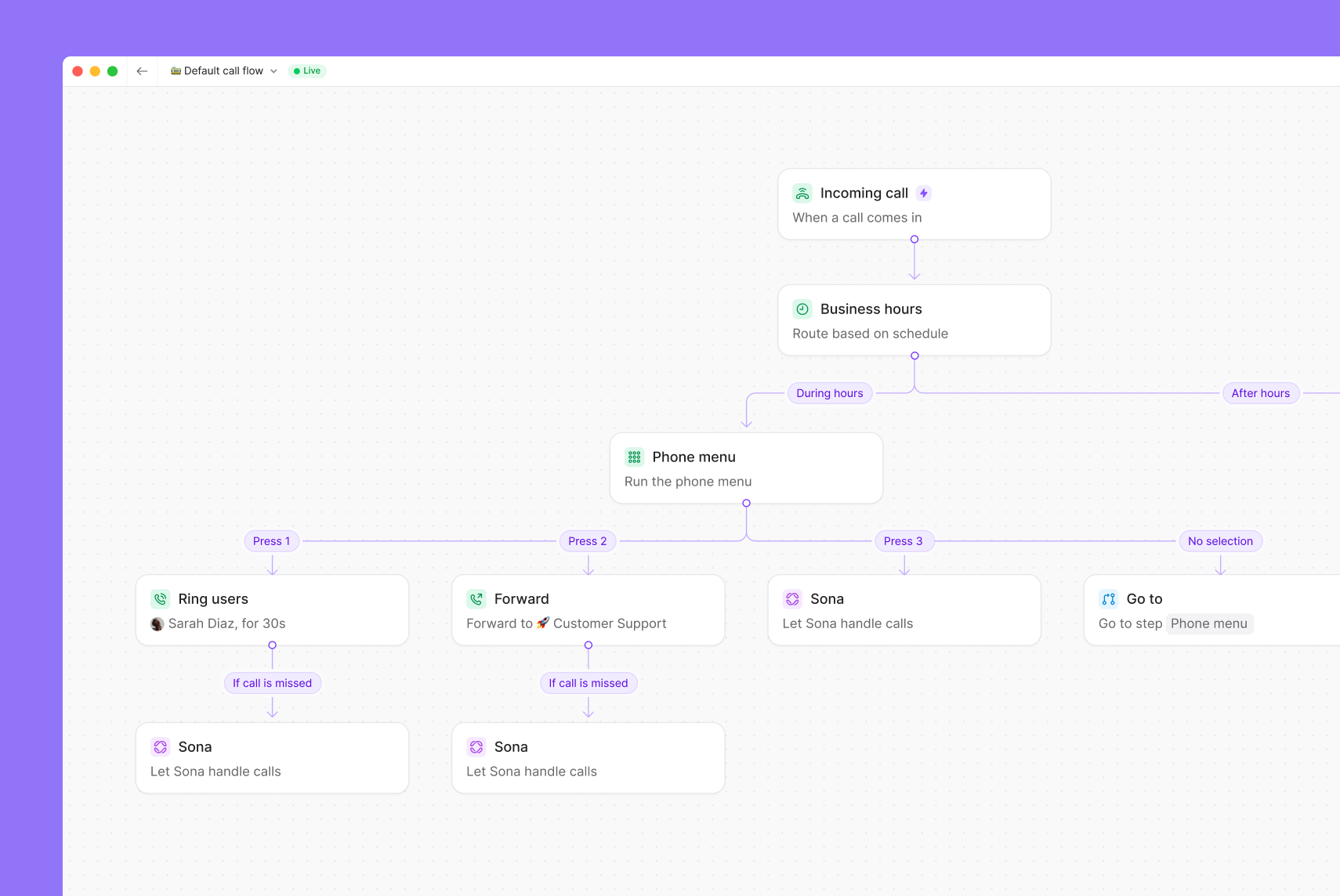
  1. Access the call flow builder. Go to your phone number settings, choose your phone number, and go to the Call flow section. Click Edit call flow.
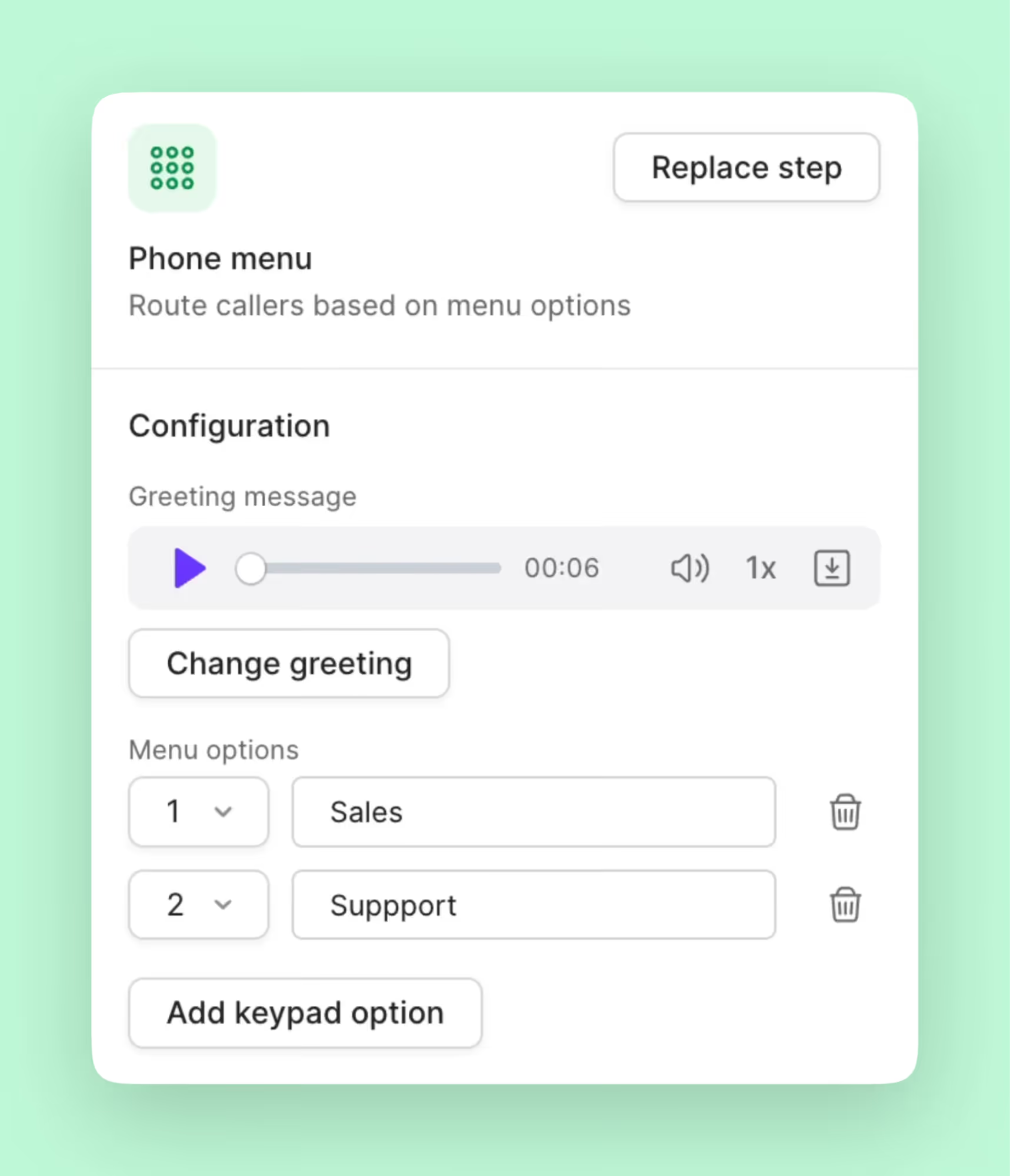
  2. Add the phone menu step. Drag and drop the Phone menu step in your call flow.
  3. Customize your greeting. Upload audio, record yourself, or use text-to-speech.
  4. Create up to 10 menu options. Callers can use voice commands or keypad navigation.

That’s it! With these four steps, your cloud IVR menu is ready to go. 

Automating self-service for customers

Connect customers with virtual or live receptionists with a cloud IVR. 

Resolve issues faster and tailor conversations to their needs. 

Create multiple menus by time of day

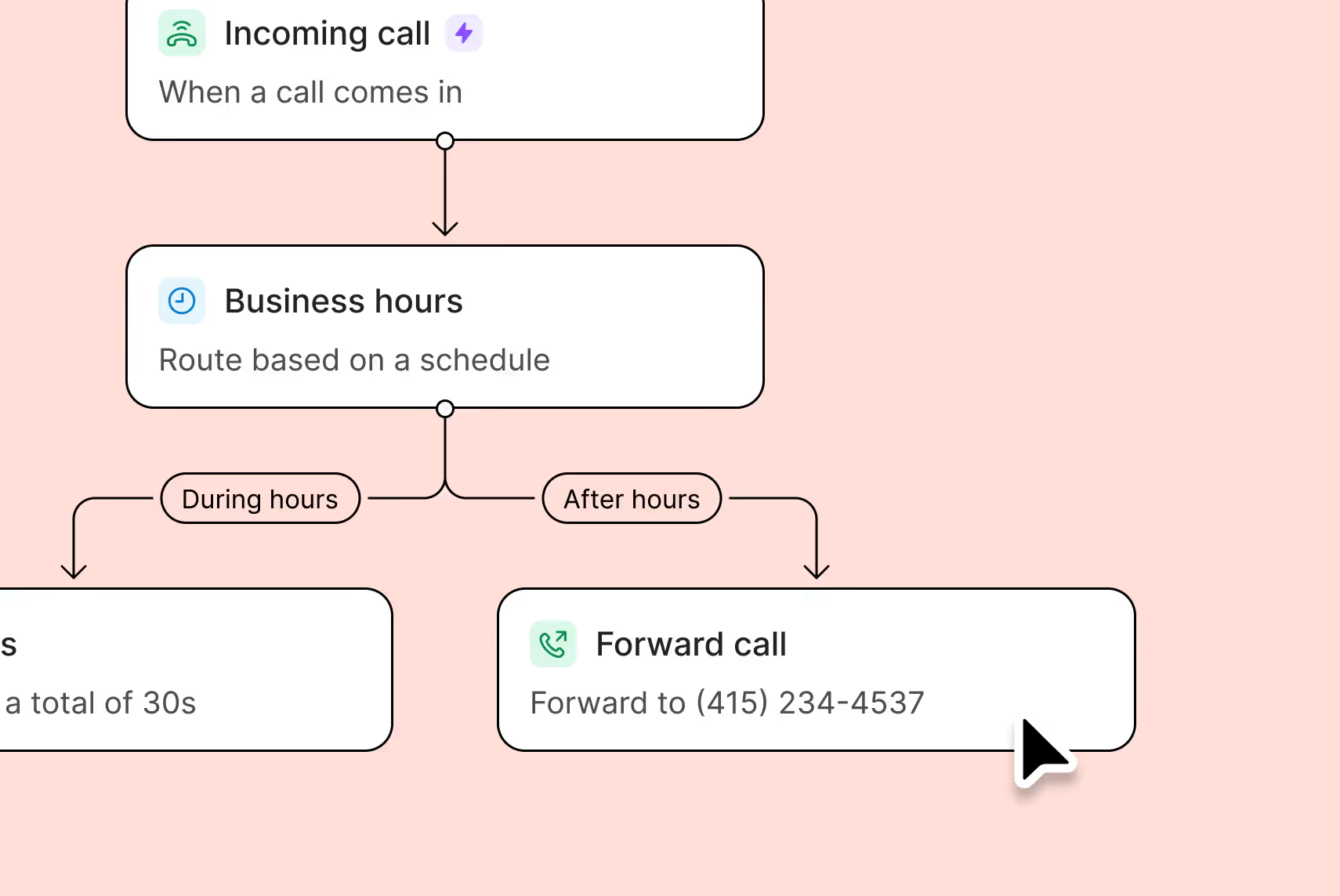
Provide different menu options based on your business hours, saving time for your customers and your team.

Nurture leads with backup call routing

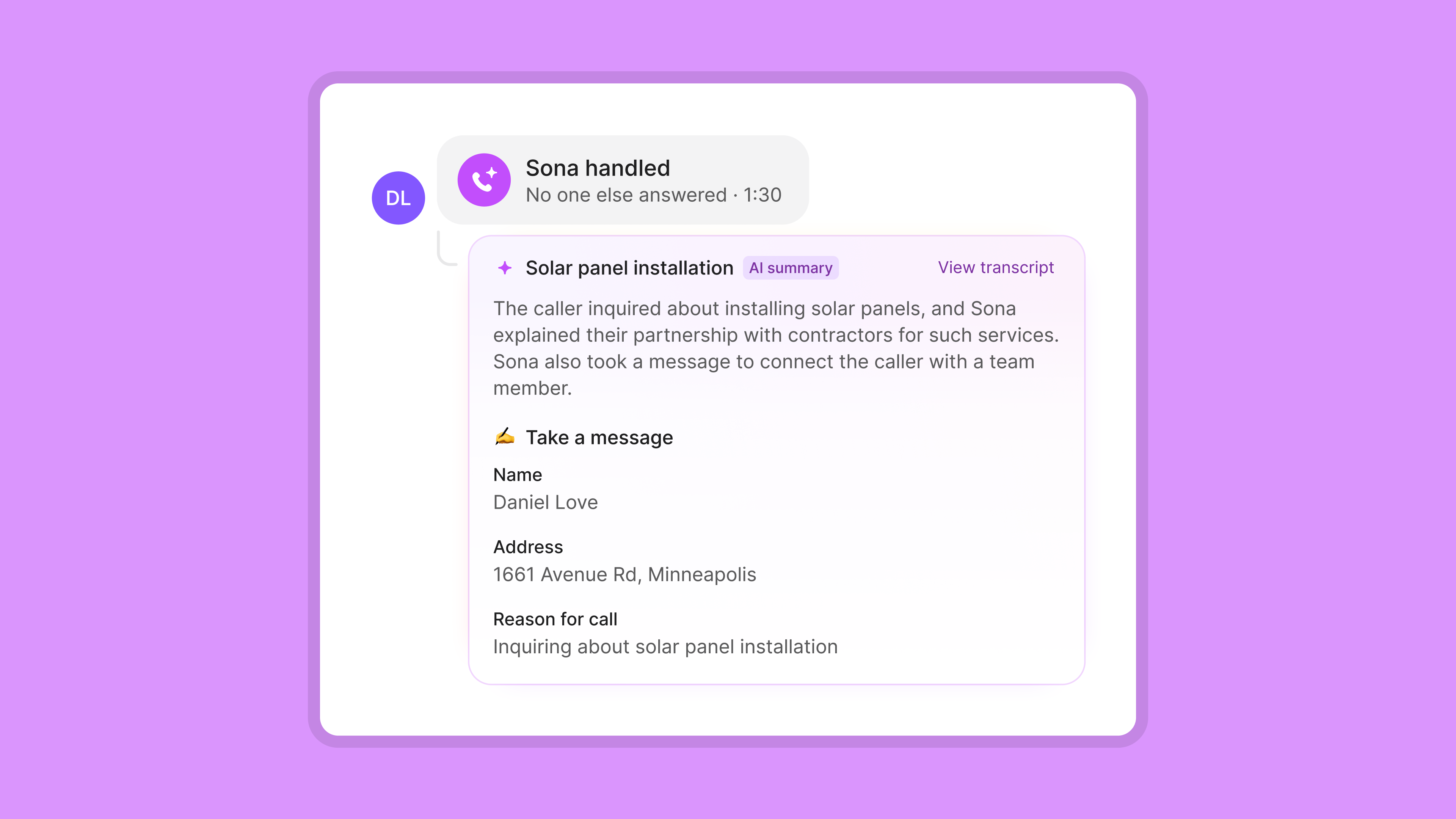
Connect with every customer even when you’re not available. Route missed calls with Sona, our 24/7 AI agent. You can also route callers to voicemail or forward calls to a backup emergency number.

Provide multi-level IVRs in call flows

Guide callers to specific teams or locations tied to your business with multi-level IVRs. For example, they can press ‘one’ in the first level to talk to Sales, and then ‘two’ in the next level to talk to your East Coast team.

Automatic call routing and management

Route incoming calls to the right team with our IVR software. And with on-demand call recording, you can keep a record of important calls so you don’t miss a single detail. 

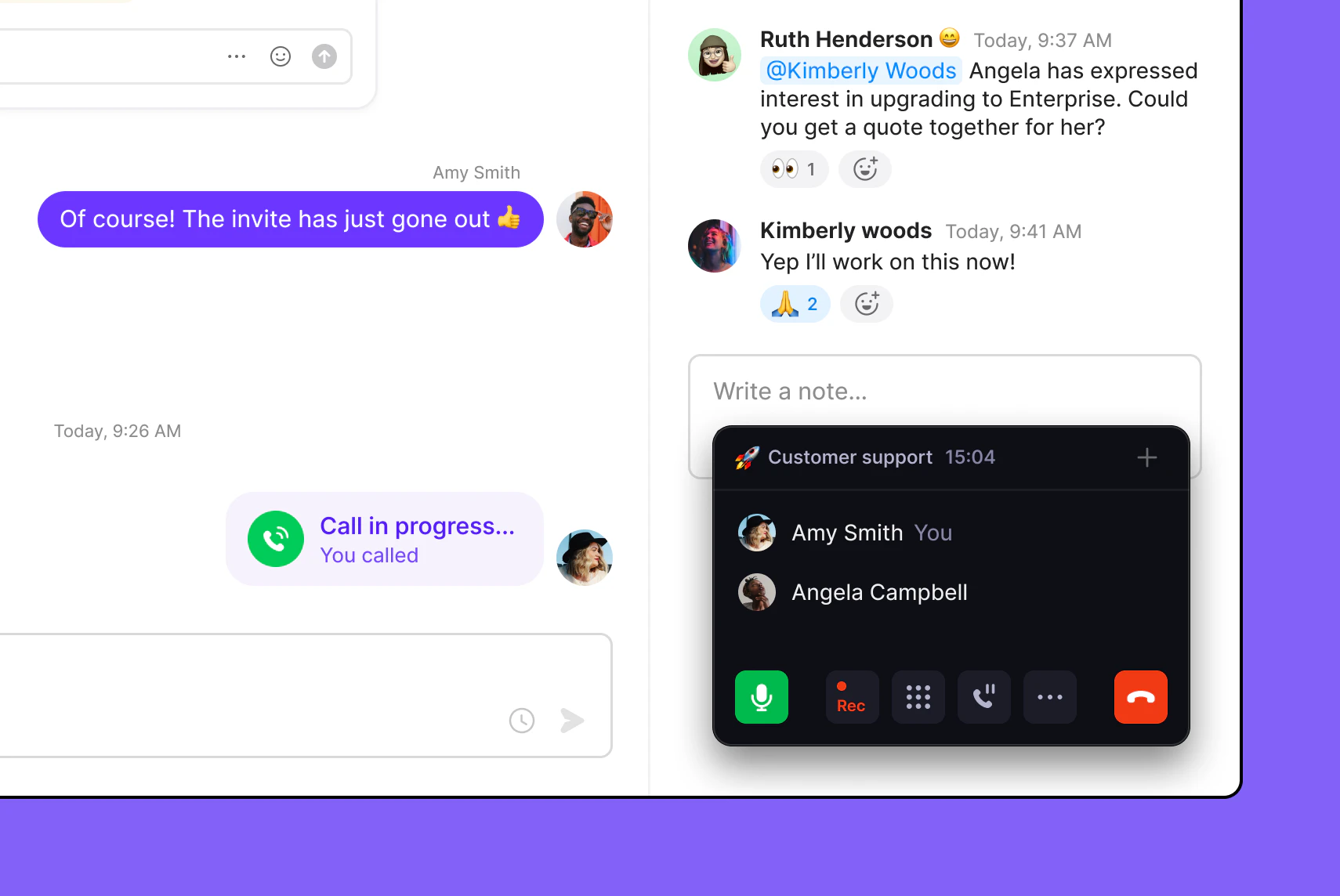
Screenshot of a customer support chat showing messages about an invite and a call in progress, with a phone interface indicating a call between Amy Smith and Angela Campbell, and a conversation about upgrading to Enterprise involving Ruth Henderson and Kimberly Woods.

All the phone features your business needs

Port your existing numbers for free

No stress with free number porting to Quo

AI call transcripts

Capture every customer detail with timestamped transcripts

Business caller ID

Let customers know when you’re calling with an outgoing caller ID

Visual call flow builder

Drag and drop call blocks — no technical expertise required

Ring groups

Customize your call distribution — ring your team together or in batches

Third-party integrations

Share your call and message logs where you need them

How to set up a cloud IVR in three steps

1. Start with a free trial of Quo and select the Business or Scale plan.

2. Launch the Quo app on web, desktop, or an Android/iOS mobile device. 

3. Set up a phone menu in the call flow builder in your number settings.

That’s it! Start routing your calls with an IVR menu right away.

A phone call is displayed on a screen.A conversation between two people on a messaging app.

More than an IVR solution

See why Quo is the #1 VoIP service provider for fast-growing small businesses

Get local and toll-free numbers for your team

Add as many numbers as your team needs. With Quo, you can choose from local US and Canadian phone numbers and North American toll-free numbers

Select specific area codes for your phone numbers depending on where your customers are located. Pick a vanity number to help you stand out from the competition.

All Quo plans include a number for every user who joins your workspace. Your teammates can use dedicated phone numbers or share numbers for different departments. And if you need more numbers, additional ones cost $5 per number per month.

Simple and powerful call management

Pair your call flows with our call management features. Hand off customers to your colleagues with the right amount of context through a warm transfer. Bring stakeholders on the same call with group calling.

Want to serve your customers even when your team is busy? Try Sona, Quo's AI-powered virtual agent. Sona answers calls 24/7, handles common questions, and captures key details for your team. You can also instruct Sona when to send texts or transfer calls to your team. 

The best part? Sona is a conversational AI tool that understands natural language better than a chatbot. It’s like having a conversational IVR. You can focus on your business needs without worrying about losing potential customers when you’re busy. Call back your customers and continue the conversation without missing a beat. 

Make team collaboration easy

Work better together with your team using Quo. Split responsibility for inbound calls and texts, and reduce your missed calls with shared numbers. View all your communications in one place with shared inboxes. That includes your call history, texts, voicemails, and recordings.

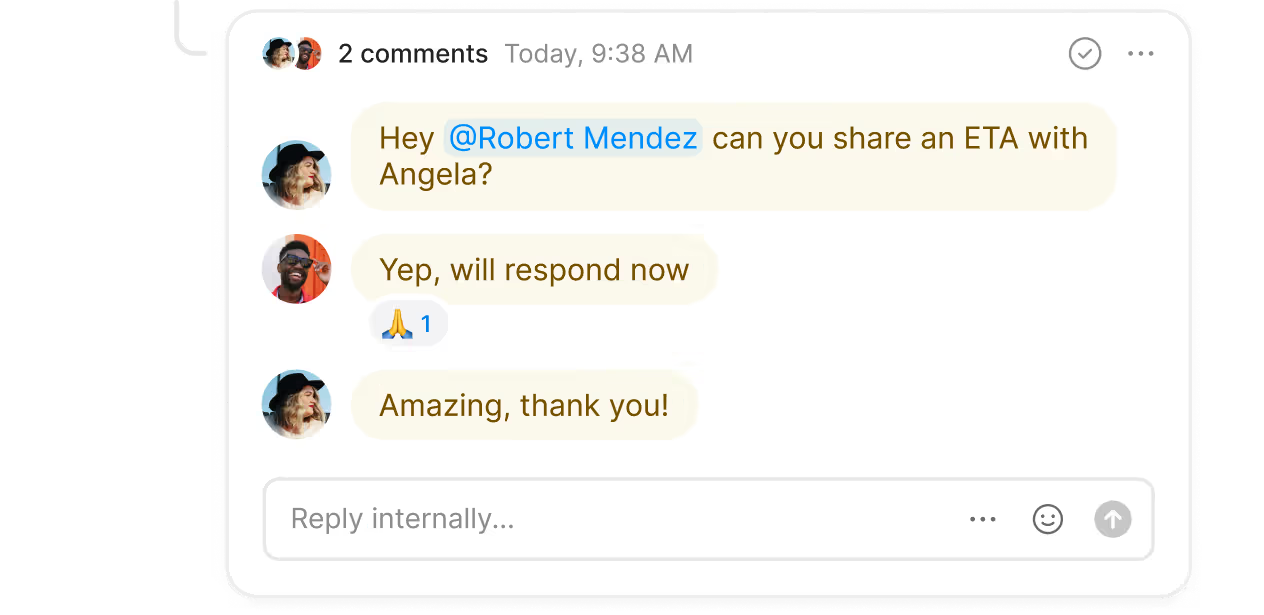
Collaborate on solving customer issues and tag team members in follow-up tasks with internal threads. And with inbox viewers, you won’t need to follow up with them. Simply jump into a thread to see which colleagues have reviewed specific recordings or conversations.

Say farewell to repetitive admin tasks

 Automatically record your calls and get instant AI-powered call summaries and transcripts. Add new contacts to your address book automatically with suggested contacts. Track ongoing call trends and gain insight into your customer behavior with AI call tags.

Connect Quo where your team works. Use our native CRM integrations, including HubSpot, Jobber, and Salesforce. Use our Zapier and Make integrations to connect to your preferred CRM. Want more control over how you share your call and text data? Build custom integrations with the Quo API.


Upgrade your texting experience

Text smarter with Quo's advanced messaging features. 

Automatically respond to customers with SMS auto-replies when your team is unavailable. Schedule messages to reach customers in their time zones. Create text templates to answer common questions with snippets.

Call and text from anywhere

With Quo, your team can use any device they prefer to communicate with customers. Download our Mac, Windows, iOS, and Android apps, connect to the internet, and you’re all set. 

‍Using a device that doesn’t run on any of these platforms? Log in to our web app and make calls through your browser.

Get started with Quo today. Try Quo for free with our seven-day trial.

​​No hidden fees

Find out how much you’re investing in your business phone solution upfront on our pricing page.

Frequently asked questions

Can’t find the answer here? Check out our Support Center.

What’s the difference between IVR and auto-attendant?

Auto-attendants and IVR systems share similar features. With an auto-attendant, you can navigate through a phone menu with keypad options. With an IVR, you can use voice commands to navigate the phone menu.

Advanced IVR systems offer additional features to optimize the customer journey.  For example, automatic customer data authentication. This feature automatically identifies customers and routes their calls based on their needs. Customers don’t need to speak to a live agent or call center rep just to validate their identity.

Are cloud IVRs only meant for contact centers and call centers?

Cloud IVRs aren’t limited to contact centers — small and growing businesses can use them as well.

What is an IVR call flow?

An IVR call flow is the path a customer takes to navigate through a business’s IVR system, guided by preset menu options. Curious about how you should structure your IVR call flows? Here are 10 IVR call routing strategies for better call management.

How much do cloud IVRs cost?

Cloud IVRs are cost-effective alternatives to traditional PBX-based options. You can expect to pay $23 to $40 per user per month for a highly-rated cloud IVR solution.

Find out more about how much VoIP systems and cloud IVRs cost in our breakdown of VoIP costs

What are free cloud IVR options?

Most cloud IVR options are only available in business phone platforms, which tend to be paid products. You can try Quo's cloud IVR solution for free for seven days in our free trial — sign up today!

What’s the difference between VoIP and IVR?

VoIP is the underlying technology infrastructure that powers cloud-based phone systems. IVR is a business phone feature that routes callers within a phone system by using voice recognition. 

Is IVR still relevant today?

Absolutely! IVR is considered an essential feature for every modern business phone system. It connects customers and team members faster. This helps your team manage customer communications more efficiently.