Analytics and oversight

Real-time visibility on every conversation

See what's really happening in your customer calls and messages to find the patterns that boost satisfaction.
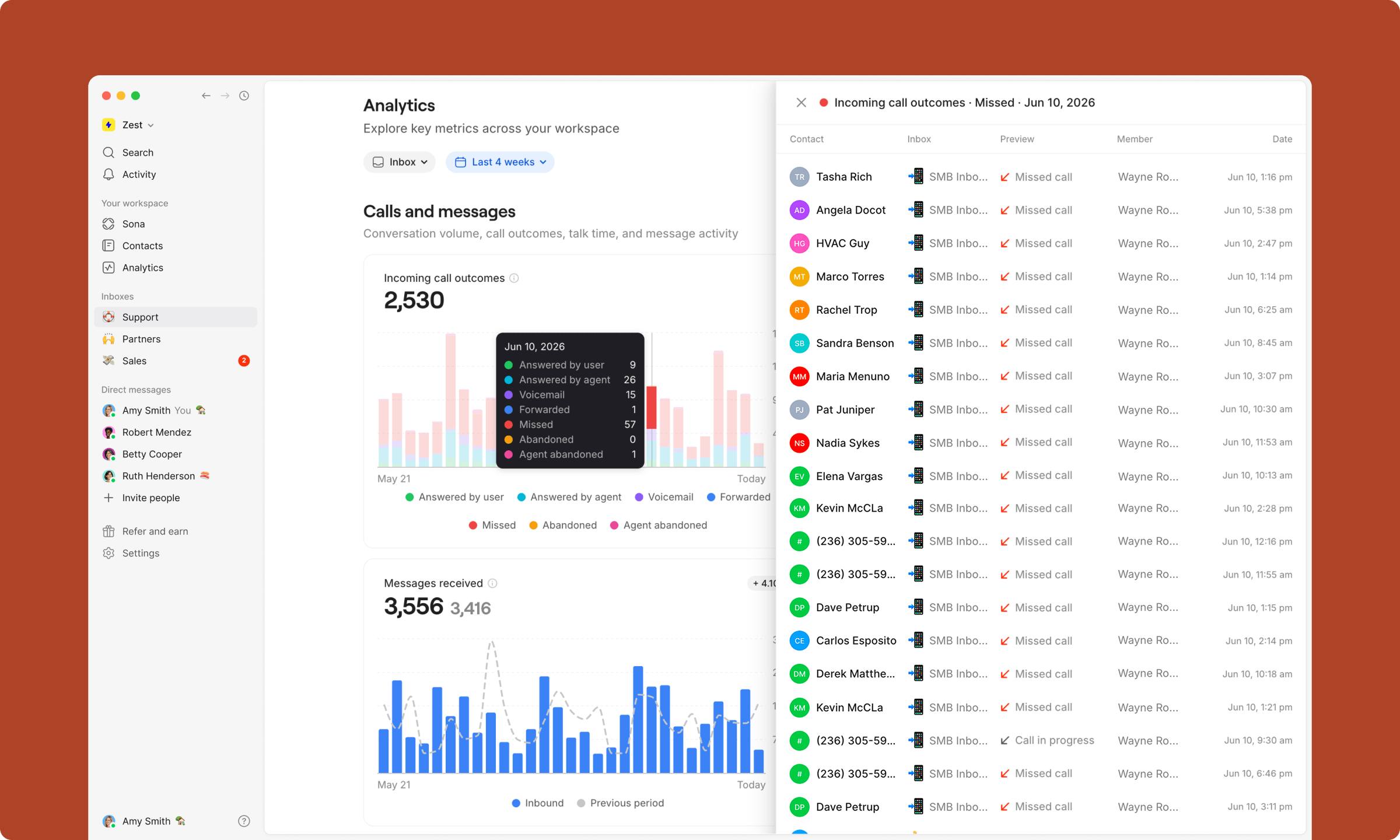
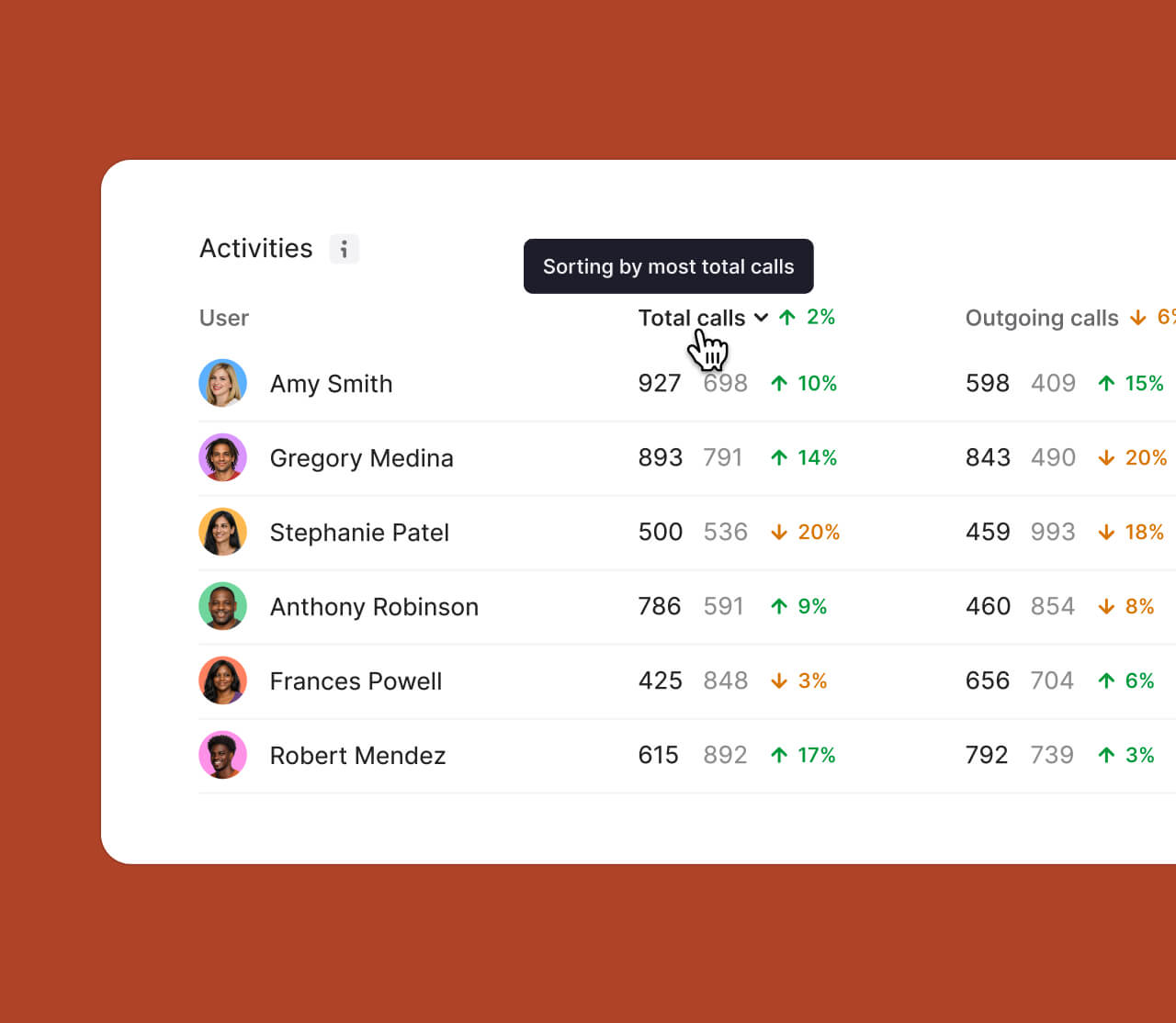
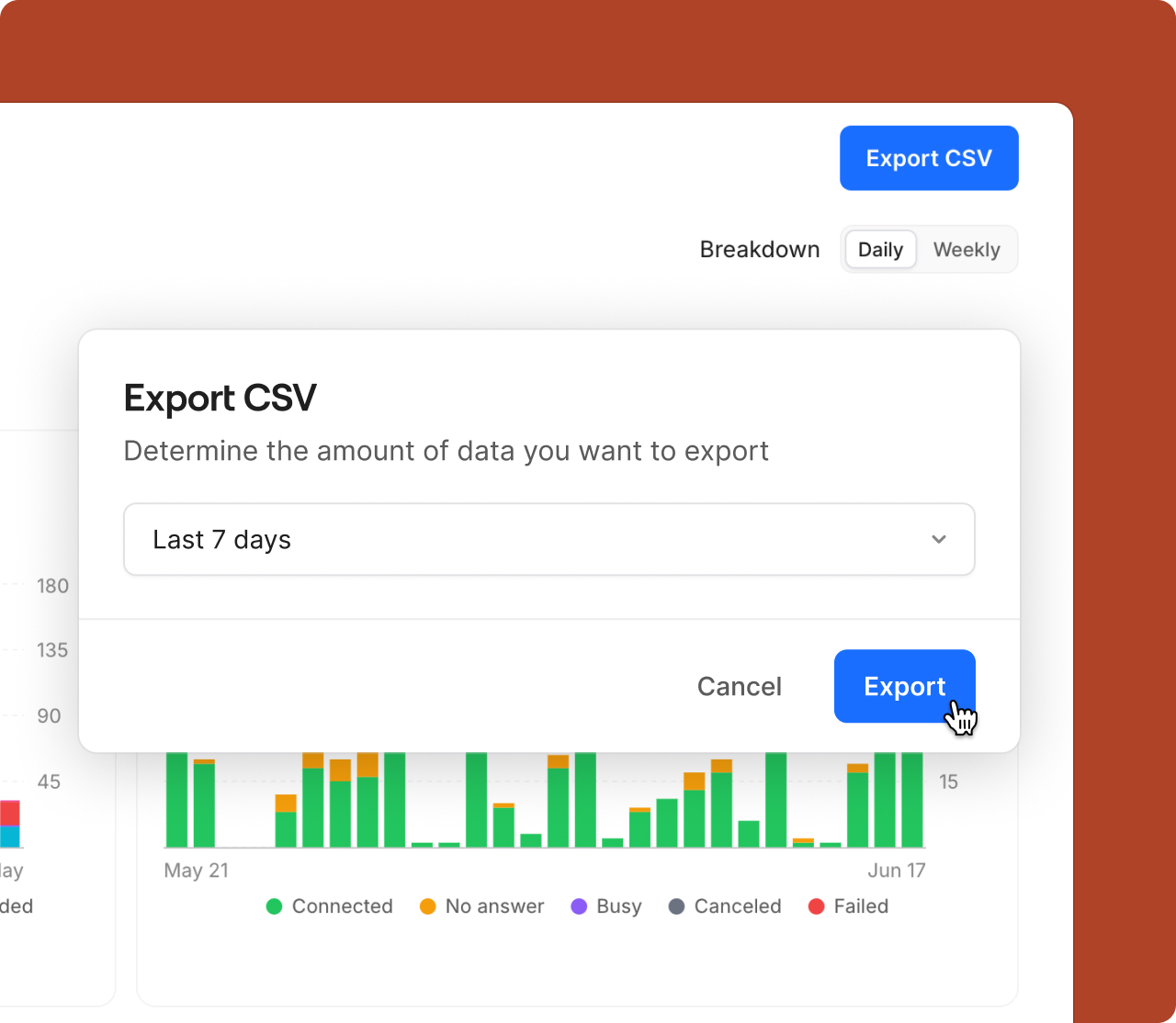
Dashboard screen showing Analytics metrics including Messages, Calls, Unique conversations, and Time on calls with daily bar charts and activity details of team members.
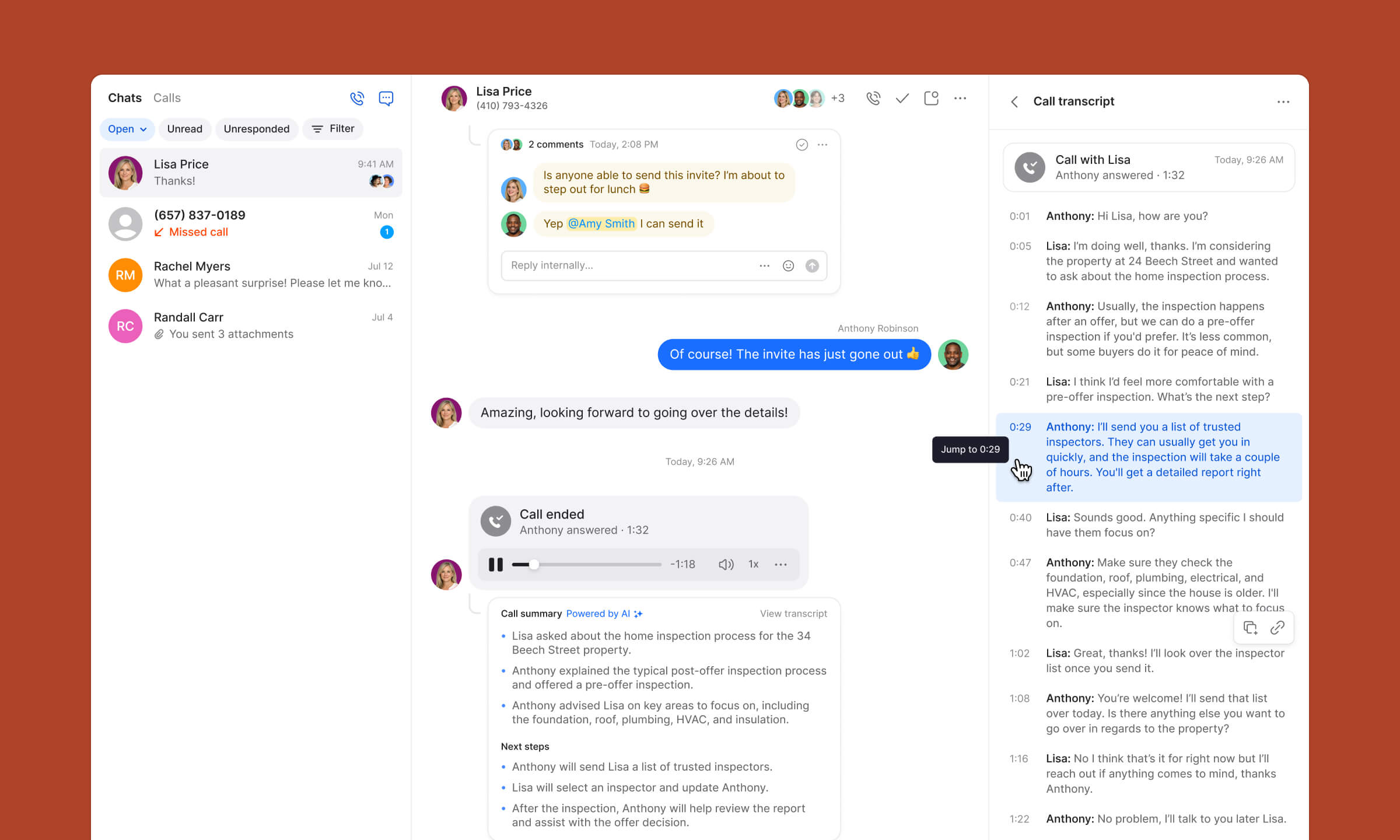
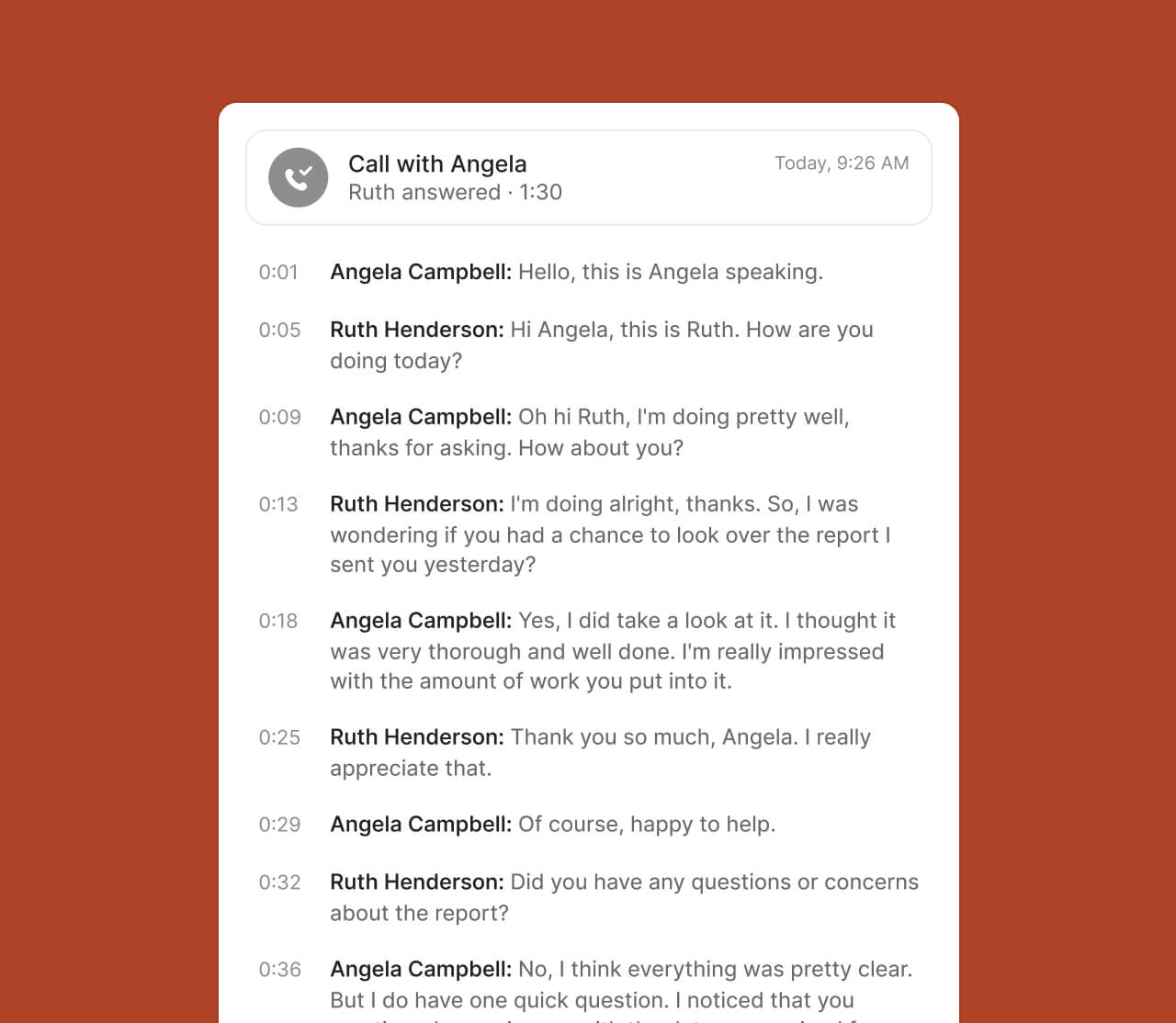
Messaging app interface showing a conversation between Nancy Burton and Carmen about sending an inspection invite, a recorded call playback, call summary with AI-powered transcript, and detailed call transcript on the right side.
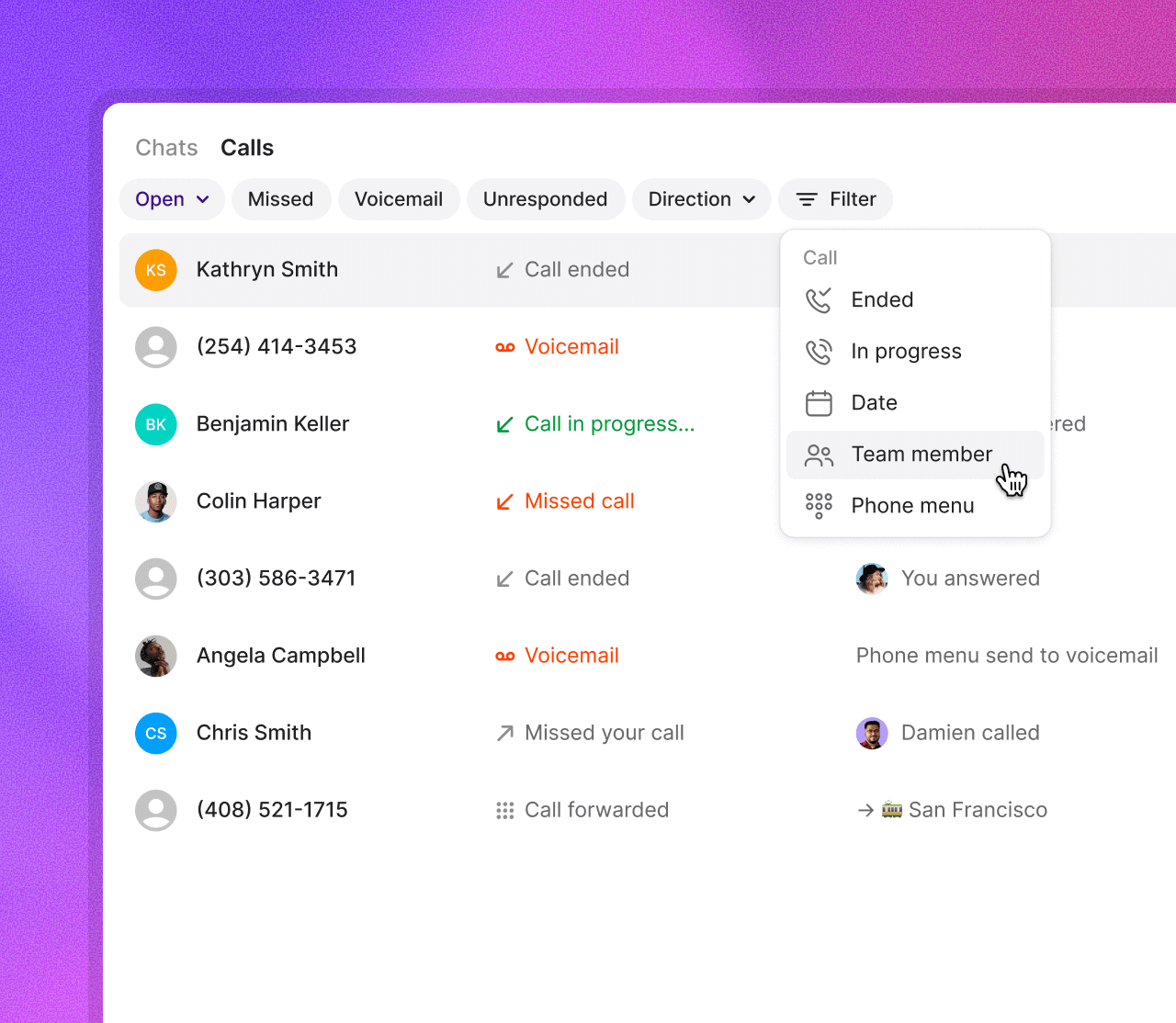
User interface showing missed and voicemail calls with details for Michael Smith including a voicemail transcript asking Amy for a callback.
Gain visibility
Track call and message volume, teammate activity, and more from a simple dashboard.
Transcribe every call
Use AI-generated summaries and transcripts to review conversations at a glance and surface insights across your team’s calls.
Support your team
See recently missed calls and time-of-day trends so you can stay ahead of issues and support your team when it matters most.
Ready to make a call?
Start your free trial today

Measure performance, coach your team, improve results

See the big picture
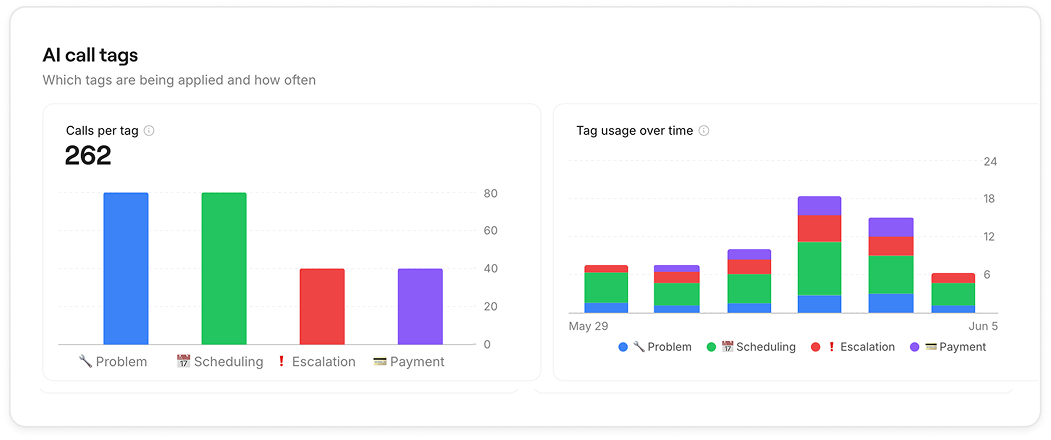
View high-level trends across calls and texts to understand what's really working and what isn't
Analytics dashboard
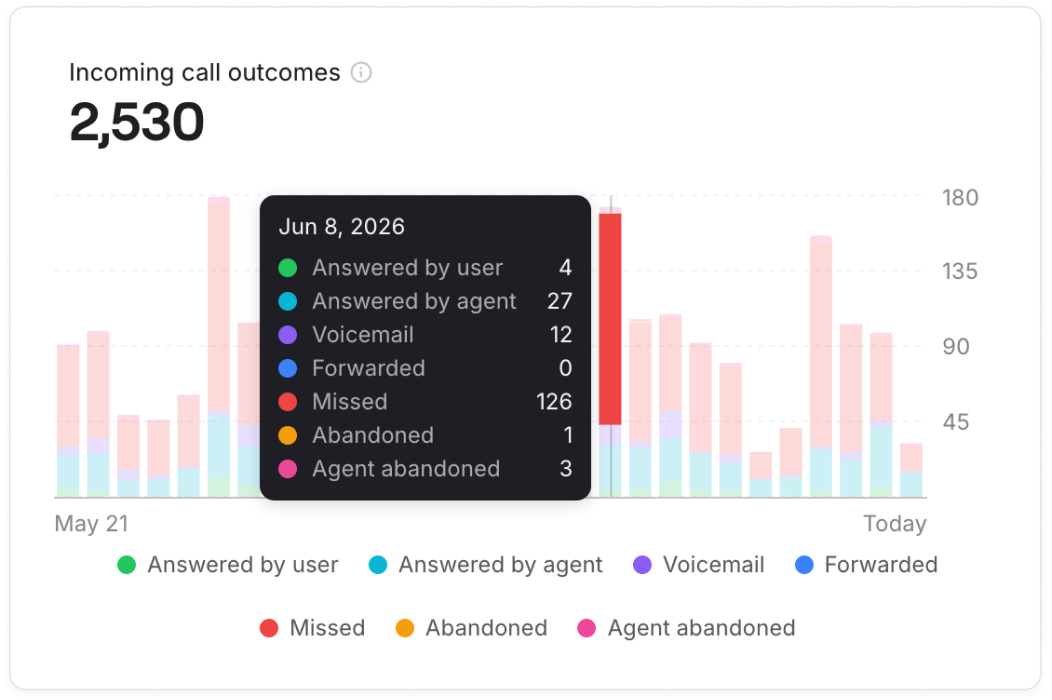
Bar chart showing daily call data from October 30 to today, with missed, incoming, and outgoing calls; Nov 2 has 76 missed, 91 incoming, and 462 outgoing calls, a 2% increase, overall calls are 1,437 out of 3,115 with a 9% upward trend.
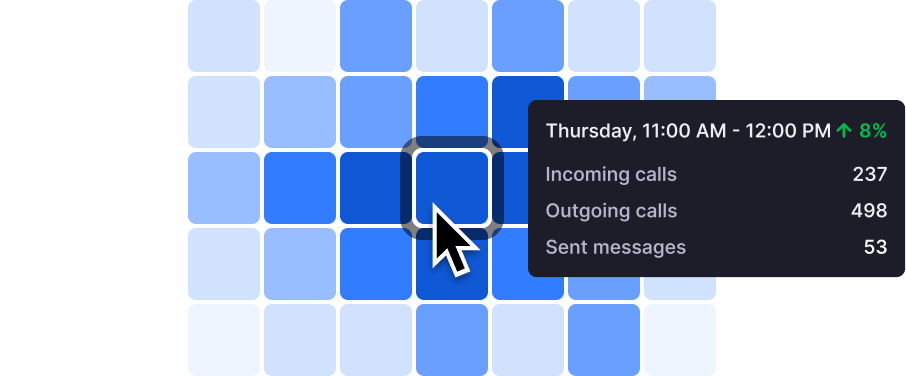
Grid of purple squares with a cursor highlighting one square; tooltip shows call center stats for Thursday 11:00 AM to 12:00 PM: 237 incoming calls, 498 outgoing calls, 53 sent messages, with an 8% increase.
Catch issues before they spiral
See when your busiest hours hit so you can staff up smart and keep workflows running smoothly.
Trends
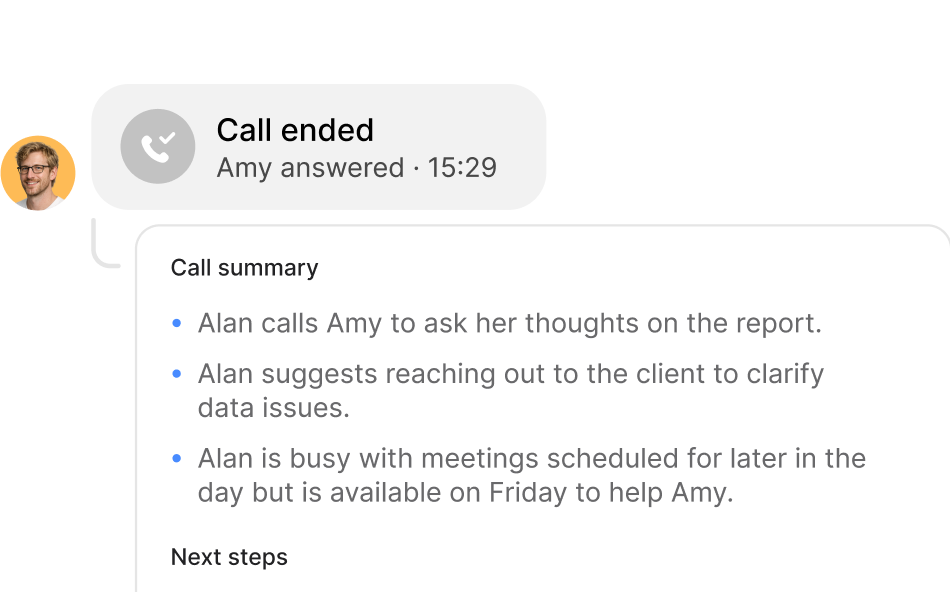
Chat message from Diana summarizing a call: Diana calls Amy to ask about the report, suggests contacting the client for data issues, and is busy with meetings but available Friday to help Amy.
Know what’s happening in every conversation
Use AI-powered summaries and transcripts to quickly understand what happened on calls.
Call summaries and transcripts
3x
More visibility

Quo is phenomenal. Whether we’re communicating with employees, our customers, or our clients, it gives us visibility into all the different lines that we use. It’s a great platform, super convenient, really easy to use, and inexpensive. We love it.

Smiling young man with short dark hair wearing a black shirt on a purple background.
Jason Ovryn
Co-founder & COO @ Carry

All oversight features

Analytics dashboard
High-level overview of conversation activity over time
Teammate activity
Track individual teammate call and message volume
Custom date ranges
Filter analytics by specific time periods to analyze trends
Usage insights by time of day
Understand when your team is busiest and adjust staffing accordingly
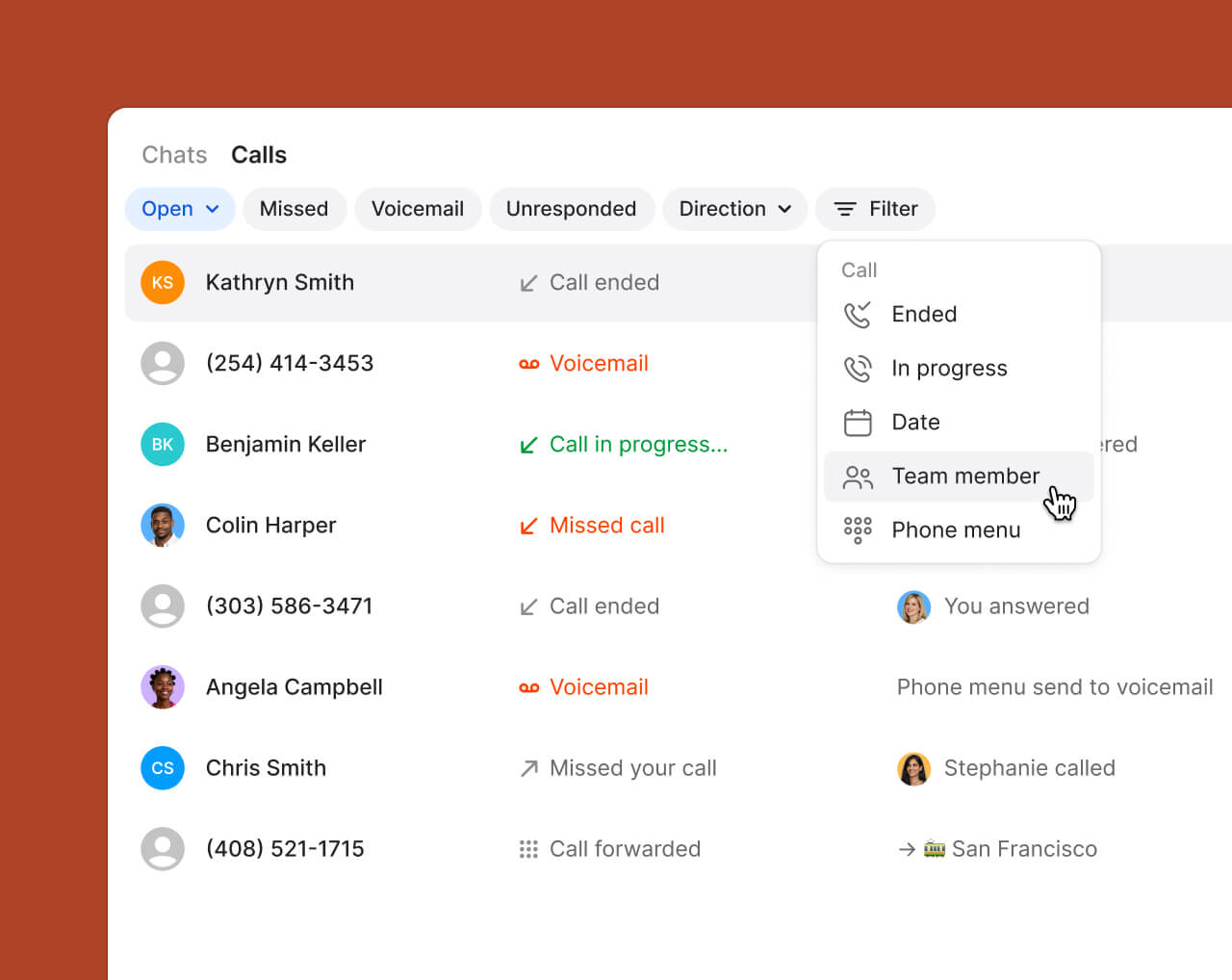
Call views
See a list of all your calls that you can easily filter to quickly focus on what's important
Internal threads
Add private notes and tag teammates to collaborate behind the scenes or provide coaching asynchronously
CRM integrations
Ensure complete visibility by syncing call summaries, transcripts, and contact activity with tools like HubSpot and Salesforce
Compare

Ready to switch?
Why teams choose Quo

No training required
Dialpad's enterprise dashboards can be hard to learn and navigate
Always on, 24/7 AI assistance
Dialpad's AI requires expensive upgrades and coaching to use
All-inclusive plans staring at $15 per user
Dialpad's base price jumps to $45+ for a similar level of features
Shared inbox and full-thread visibility for complete context
Dialpad has siloed conversations and admin-heavy workflows. ⁠
Built to help you give a personal touch at scale
With Dialpad you have to dig through call center metrics
Transparent with predictable costs
Dialpad has toll-free fees and per-minute international charges
All-inclusive plans starting at $15/user
RingCentral has custom pricing with add-ons
Easy to get started
RingCentral takes more time to configure and set up
Included Sona AI answers calls 24/7
RingCentral spreads AI features across several expensive tiers
SMS approved fast with Quo
RingCentral's lengthy waits for approvals lose customers
Created to build customer relationships
RingCentral has complex internal collaboration dashboards
Calls, texts, and customer context in one thread
RingCentral spreads conversations across separate apps and dashboards
All-inclusive plans starting at $15/user
Nextiva's entry level plan has no phone service
Unified calls, texts, and easy CRM from day one
Nextiva is $30-36/user just for basic calling and nothing else
Sona for handling first responses is included
Nextiva requires a $40-75/user tier for any AI assistance
Unlimited business texting included
Nextiva has 100-250 SMS per-month caps that lose you customers
Streamlined for simple relationship building
Nextiva has limited features paired with complexity
No hidden fees, transparent pricing
Nextiva has add-on pricing to access to basic features
Starting at $15/user with no minimums
Aircall requires a 3-license minimum purchase for $30-50/license
Unlimited toll-free with Sona AI included
Aircall has hidden fees and $9/user AI add-on
Unlimited texting with no caps
Aircall limits you to 4,000 messages and charges extra for each additional text
Advanced analytics included
Aircall requires a $50/user Professional plan for reporting
All-inclusive plans with no surprises so you can scale
Aircall has a complex per-license model that requires purchasing unnecessary licenses so they can scale
Shared inbox and full customer history for every teammate
Aircall’s call-centric workflows make it harder to keep texts, voicemails, and notes in one thread
Complete platform starting at $15/user
Google Voice has a $50 Google Workspace subscription required
Shared numbers and team inboxes
Google Voice allows only single user lines
24/7, always-on responses from Sona
Google Voice just has extremely basic voicemail and transcription
CRM integrations and phone menus built in
Google Voice just has consumer calling features
Unlimited texting without restrictions
Google Voice has limits and restrictions
Make calls globally on day one
Google Voice has a US-only limitation on their Starter plan
Unlimited calling starting at $15/user
Zoom's entry plan charges for every outbound minute
Sona handles routine calls and texts 24/7
Zoom Phone has basic transcription focused solely on meetings
All-inclusive plans starting at $15/user
Zoom requires $18-22/user bundles for the basics
Designed for customer conversations
Zoom Phone was created as a way to make a little extra money from video conferencing
Real CRM and business integrations
Zoom's has a limited phone system ecosystem
Calls, texts, customer info unified
On Zoom Phone they are scattered across meeting and phone apps
Ready to make a call?
Start your free trial today

Ready to get started? Explore features, learn more, or choose from thousands of numbers.